Android · TV · Fire TV · box · Windows · Linux

Your media player, on all your screens.

Lumio is a fast, modern streaming and media player for network streams and playlists you already own. Add your own sources and enjoy smooth, high-quality streaming — on your phone, tablet, or TV.

Lumio is a player only — it provides no media, no channels and no source. You bring your own.

New

Watch on the big screen — even without installing anything

Open Lumio in your Android TV browser, or install the app: the same polished streaming experience, designed for the remote.

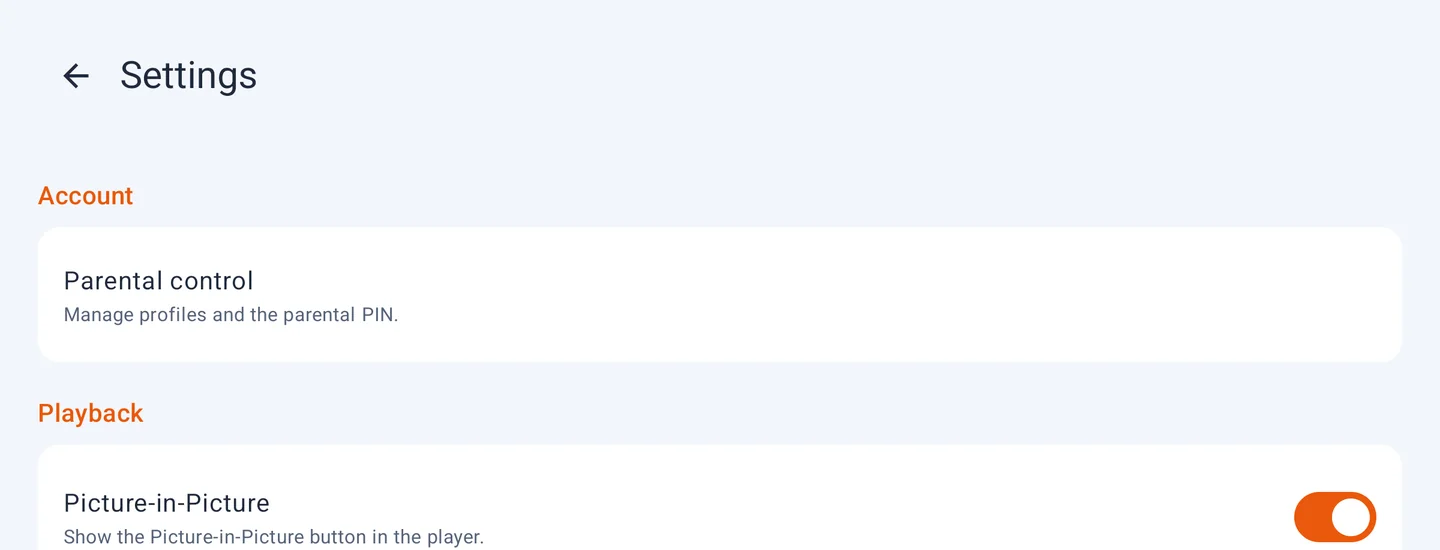
Lumio settings screen with Parental control and Picture-in-Picture toggle
Fine-tune playback, subtitles and privacy from Settings.
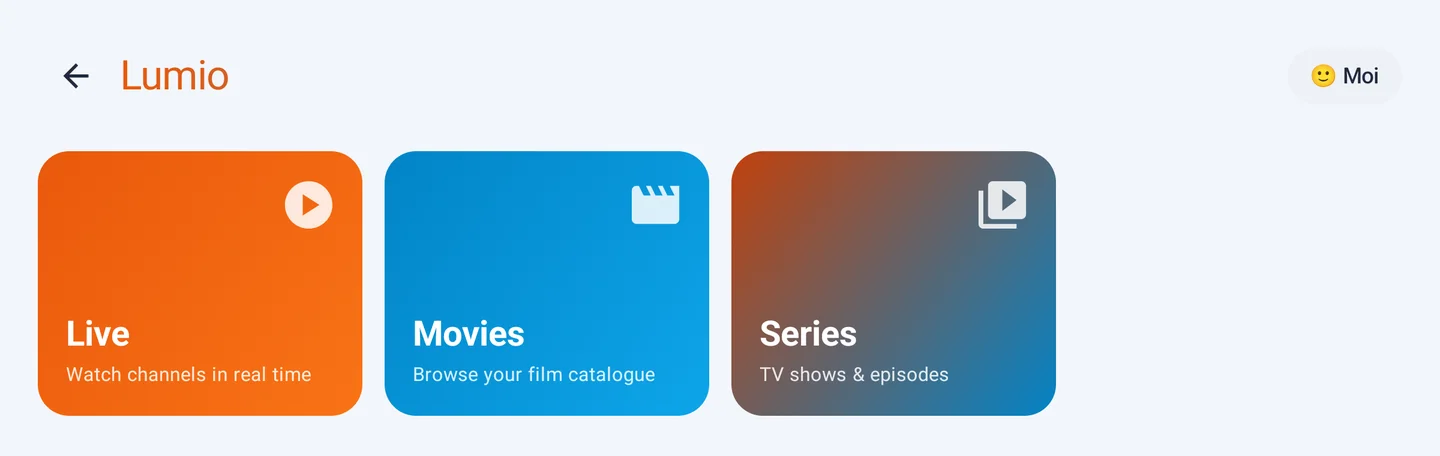
Lumio home screen with Live, Movies and Series category cards
Browse your channels and videos — including free sources you add.

📺 Watch via your TV browser

Don't want to install? Open lumio.mayamstudio.com/tv in your Android TV or Google TV browser and start watching immediately.

Open web player

One player, all your screens

Built for the remote and for touch.

📺

Multi-platform

Android phones & tablets, Android TV / Google TV, Fire TV, Android boxes & TVs (Xiaomi, Hisense…), LG TVs (webOS), and Windows 10/11 and Linux computers.

🎞️

Plays everything

Robust playback engine (HLS, DASH, MPEG-TS, MP4, progressive) with a fallback decoder for less common formats.

🗂️

Your own sources

Add your playlists or direct stream URLs. Lumio starts empty — no pre-loaded content.

🕹️

Remote-first

Smooth D-pad navigation on TV, touch interface on mobile — the same app, adapted to every screen.

Lightweight & fast

Instant start, stable playback, low footprint. No ads, no tracking.

🔒

Code activation

Unlock forever by entering your activation code in the app. License tied to your device.

⏯️

Resume & "Continue Watching"

Lumio remembers where you left off in your movies and series and resumes automatically. A "Resume" row groups what you haven't finished. All stored on your device.

👨‍👩‍👧

Family profiles & parental controls

Create multiple Netflix-style profiles, including child profiles that automatically hide adult categories. A parental PIN protects access to adult profiles.

Catch-up & rewind

Rewatch already-broadcast programmes from your live channels and rewind a few hours back, when your source allows it.

How it works

Three steps, and you're watching.

Install the app

Download Lumio on your Android phone, TV, or box.

Add your source

Paste the URL of one of your playlists or a stream you own.

Watch

Browse your content by group, start playback, enjoy.

Simple, lifetime plans

Try free for 10 days. One payment, no subscription — choose your plan.

1 device · lifetime
$9.99
  • 1 device
  • All player features
  • Updates included
  • One-time payment · no subscription
Buy — $9.99
Household · up to 3 devices
$14.99
  • Up to 3 devices
  • Perfect for phone + TV + box
  • All player features
  • One-time payment · no subscription
Buy — $14.99
Reseller · volume
$60 / 10 codes
  • Pack of 10 activation codes
  • $6 per license (instead of $9.99)
  • Online reseller dashboard: generate & revoke codes
  • Block devices that share your codes
Order — $60

After payment, you receive an activation code to enter in Lumio ("I have an activation code"). Price automatically reduced in some regions.

Download Lumio

Install directly on your Android device, TV, box, or Windows and Linux computer. No Google account required.

📱

Phone & tablet

Download and open the APK file directly on your Android device.

Download APK

Android 8+ required. Allow "Unknown sources" in settings if prompted.

📺

Android TV · Fire TV · box

Use the Downloader app (AFTVnews) — available on the Play Store and Amazon Store.

Downloader Code 4874307
  1. Install Downloader on your TV/box
  2. Open Downloader and enter code 4874307
  3. The APK downloads and installs automatically

No code? Enter the URL lumio.mayamstudio.com/app

📺

LG Smart TV (webOS)

On your LG TV, open the LG Content Store and search for Lumio, then install.

Coming soon to the LG Content Store. In the meantime, open lumio.mayamstudio.com/tv in the TV browser.

🪟

Windows 10 & 11

Install Lumio on your PC. Smooth playback of your videos, streams, and playlists on a large screen.

Download for Windows

64-bit. Windows shows "unknown publisher" as the app is not yet digitally signed — it's safe: click "More info" then "Run anyway". You can verify the SHA-256 checksum below. Portable version: .exe without installation.

🐧

Linux

Desktop app for 64-bit Linux distributions (Ubuntu, Debian, Fedora, etc.).

Download AppImage

Make the file executable (chmod +x Lumio*.AppImage) then run it. Debian/Ubuntu package: .deb.

🌐

No install — Browser

Open the web player directly in your TV, phone, or computer browser. Nothing to install.

Open web player

Ideal for Android TV / Google TV. Add the page to your home screen for quick access.

Verify download integrity (SHA-256)

Compare the checksum of the downloaded file with the one below. Windows: Get-FileHash file -Algorithm SHA256 · Linux/macOS: sha256sum file.

lumio.apk            loading...
lumio-setup.exe      d1e055959d93907cd3ffe803e4408d99f421a13db9e4c2b02cdde53085471aa0
lumio-portable.exe   50f617e9c49c3394ce9d106376ec49cb48b411c95eb9312ecfbfca154260f62b
lumio.AppImage       c7fb4f3a983fd88718138a6db7ab68017b85a45263301b5ffad75a39ece3df89
lumio.deb            1461054207106f48c9f9eb10ef8325e6ac208c1c75dffd0d4ca2121a52abd423

10-day free trial from installation. No card required.

Frequently asked questions

Does Lumio provide media, channels, or content?

No. Lumio is a player only, like VLC or MX Player. You provide your own sources (playlists or stream URLs). No content is included, hosted, or distributed by Lumio.

Does Lumio have profiles and parental controls?

Yes. You can create multiple Netflix-style profiles, including child profiles that automatically hide adult categories. A parental PIN protects access to adult profiles. Everything is stored locally on your device.

Does Lumio resume playback where I left off?

Yes. For your movies and series, Lumio remembers your position and resumes automatically. A "Resume" row groups titles in progress. This information stays on your device.

Can I rewatch an already-broadcast programme (catch-up)?

When your source allows it, Lumio shows already-broadcast programmes from a live channel and lets you relaunch them or rewind a few hours.

Which devices does the app support?

Android phones and tablets, Android TV / Google TV, Fire TV, Android boxes and TVs (Xiaomi, Hisense, etc.), LG TVs (webOS), and Windows 10/11 and Linux (64-bit) computers. Your lifetime license covers the device it's activated on; the Household plan allows multiple devices.

Can I watch without installing the app?

Yes. Open lumio.mayamstudio.com/tv in your Android TV, Google TV, phone, or computer browser: the web player starts without installing anything. For the best experience (fast launch, offline use), also install the Android app.

How do the trial and payment work?

You have a 10-day free trial in the app. Then choose a plan (1 device or Household) — one-time payment, no subscription. After payment, you receive an activation code to enter in Lumio (menu "I have an activation code").

Is the payment recurring?

No. It's a one-time license purchase. You will only be charged once.

Can I get a refund?

Yes. See our refund policy.

What kind of streaming content can I watch with Lumio?

Lumio plays whatever you connect: live channels, video-on-demand movies and series, and network streams in HLS, DASH, MPEG-TS, or MP4. It works with M3U/M3U8 playlists and Xtream-compatible sources. Lumio itself includes no channels or media — you always bring your own source.